Most folks think that buying a heavy-duty steel safe is the end of the security conversation, but that’s just a comfortable lie we tell ourselves so we can sleep better. I’ve spent twenty years on the range watching people treat safety like a checkbox, and the same goes for home security; they assume a thick door is enough. The truth is, if you aren’t actively learning how to add an alarm to a gun room, you aren’t actually securing your gear—you’re just hoping for the best. I learned that the hard way a few years back when a neighbor’s “secure” storage was breached simply because the thief had all the time in the world and nobody was notified that the door even moved.
In this guide, I’m going to skip the high-priced sales pitches and get straight to the mechanical reality of securing your space. I’ll walk you through the practical steps of selecting sensors, wiring your perimeter, and integrating a system that actually works when it matters most. We aren’t looking for bells and whistles here; we are looking for reliable habits and hardware that ensures your collection stays exactly where it belongs.
Guide Overview
Tools & Supplies
- Drill and drill bits for mounting hardware
- Screwdriver set for sensor installation
- Smartphone for system configuration/app pairing
- Wireless security kit (hub, motion sensor, entry sensor) 1 set
- Mounting tape or screws 1 pack
- Replacement batteries for sensors 1 pack
Step-by-Step Instructions
- 1. First, you need to sit down and figure out exactly what you’re protecting. Most people make the mistake of thinking a single sensor on the door is enough, but that’s just wishful thinking. You need to map out every entry point—windows, vents, and even those thin interior walls if your storage room shares a space with a closet. If there’s a way in that you haven’t accounted for, your alarm system is just a fancy way to watch your gear get stolen.
- 2. Pick your hardware based on how much you actually want to rely on it. You can go with a DIY wireless kit if you’re handy and want to avoid a monthly contract, or you can call in a professional for a hardwired system. In my experience, if you want something that won’t fail when the batteries get low or a signal gets jammed, a hardwired system is the only way to go. It’s more work upfront, but it’s one less thing to worry about when you’re trying to sleep.
- 3. Install your motion sensors, but don’t just slap them in a corner and call it a day. You want to place them where they have a clear line of sight, but away from anything that might trigger a false positive, like an HVAC vent or a heavy curtain moving in the draft. I’ve seen too many guys get a call from the police at 3:00 AM just because a heater kicked on and rattled a sensor.
- 4. Get your door contacts set up. These are the little magnetic sensors that tell the brain if the door has been cracked open. Make sure they are aligned perfectly; if they’re even a hair off, you’ll be dealing with constant chirping and frustration. I always tell people to test the seal of the door before mounting them—if the door doesn’t close tight, the sensor won’t either.
- 5. Set up your communication method. This is the part that actually does the work. If someone trips your sensor, how does the world find out? You want a system that uses both a cellular connection and a landline if possible. Relying solely on your home Wi-Fi is a bad habit; if a thief cuts your internet line outside, your alarm becomes nothing more than an expensive paperweight.
- 6. Test the system through a full cycle. Don’t just press the “test” button and walk away. Walk through the room, open the door, trigger the motion sensor, and verify the signal actually reaches your phone or the monitoring station. You don’t want to find out the system is faulty when it’s too late to do anything about it.
- 7. Establish your response protocol. An alarm is only useful if you know what to do when it goes off. Keep your contact list updated, make sure your neighbors know you have a security system, and most importantly, don’t ignore the alerts. If that siren goes off, treat it with the same seriousness you’d treat a malfunction on the firing line.
Mastering Entry Point Breach Detection and Reliable Monitoring

When you’re looking at entry point breach detection, most folks focus solely on the door. They think if the lock holds, they’re set. But I’ve seen enough “secure” setups fail because someone forgot about the window in the adjacent hallway or the thin drywall of a basement storage room. You need to treat your room like a perimeter, not just a single entrance. This means looking at your security camera integration for gun rooms as a way to verify what the sensors are telling you. A sensor tells you something happened; a camera tells you if it was a burglar or just the cat knocking over a heavy cleaning kit.
Don’t overlook the internal layer, either. If someone manages to get through that door, your next line of defense is the safe itself. This is where gun safe alarm systems become a necessity rather than an afterthought. I always tell people that a door alarm is just a courtesy to your neighbors; a sensor on the safe is what actually protects your investment. You want a system that triggers the moment that heavy steel is breached, not ten minutes after the thief has already cleared the room.
The Right Motion Detector Placement for Safes and Storage
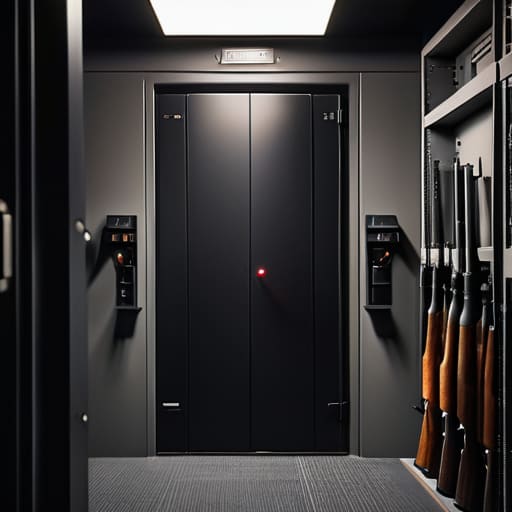
Now, don’t just slap a motion sensor in the corner and call it a day. I’ve seen folks set these up only to have them trigger every time the HVAC kicks on or a heavy truck rolls by outside. When you’re looking at motion detector placement for safes, you want to aim for a high corner that gives you a clear line of sight to the entire storage area without being directly in the path of a draft. If you place it too low, a thief can simply crawl under the field of view, and if it’s too close to a window, you’re going to be dealing with false alarms every time the sun hits the glass just right.
You also need to think about how your sensors work with your broader firearm storage security measures. If you have a heavy steel door, a vibration sensor on the safe itself is often more reliable than a standard PIR sensor across the room. I always suggest looking into security camera integration for gun rooms so that when that motion sensor trips, you aren’t just staring at a blinking red light—you’re actually seeing exactly what’s happening in real-time. It’s about having the right eyes on the prize before the situation gets out of hand.
The Details Most People Overlook Until It's Too Late
- Test your sensors when the house is noisy. If your alarm trips every time the HVAC kicks on or the dog runs past the door, you’re going to start ignoring the notifications. A false alarm is just as dangerous as a silent one because it teaches you to tune out the warning.
- Don’t rely on a single point of failure. If you’ve got a fancy keypad but no backup battery or cellular connection, a simple power cut makes your entire security setup a paperweight. You want that system running even when the lights go out.
- Hardwire where you can. Wireless sensors are fine for a quick fix, but they can be jammed or run out of juice right when you need them. If you’re drilling into the walls to set up a proper room, run the wires. It’s more work upfront, but it’s a habit that pays off in reliability.
- Check the “blind spots” around your safes. People spend all their time on the door and forget about the small window in the corner or the crawlspace access. If there’s a way into the room that doesn’t involve the front door, you need a sensor on it.
- Keep your monitoring service updated. It sounds simple, but I’ve seen folks move or change phone numbers and forget to tell the security company. If the alarm goes off and nobody can reach you, you haven’t actually secured anything—you’ve just made a lot of noise.
The Bottom Line on Securing Your Gear
Don’t treat your alarm like a suggestion; if you aren’t setting it every single time you walk away from that room, you’re just leaving the door unlocked and hoping for the best.
Redundancy is your friend, so make sure your sensors are covering the gaps between the door and the safe, because a single point of failure is just an invitation.
Security is a habit, not a one-time purchase—test your system regularly to ensure it’s actually watching the room when you aren’t.
Closing the Loop on Security
At the end of the day, adding an alarm to your gun room isn’t about buying the most expensive gadget on the shelf; it’s about closing the gaps you’ve left open. You’ve looked at the entry points, you’ve figured out where those motion sensors need to sit to avoid false alarms, and you’ve mapped out a way to monitor it all. But remember, a system is only as good as the maintenance you put into it. If you install a high-end sensor but never check the battery or test the connection, you haven’t actually secured anything—you’ve just given yourself a false sense of security. Treat your alarm system with the same mechanical discipline you use to clean your rifles.
I’ve spent twenty years on the range watching people overlook the small, boring details until those details become a problem. Security works the same way. It isn’t a one-time project you check off a list and forget about; it is a continuous habit of awareness. When you take the time to harden your storage and verify your electronics, you aren’t just protecting hardware or collections. You are protecting your peace of mind so that when you finally step out to the range, your mind is on your fundamentals, not on what you left behind. Do the work now, so you don’t have to regret it later.
Frequently Asked Questions
If I'm using a wireless system to avoid drilling through my walls, how do I know the signal won't just be jammed when someone actually tries to break in?
That’s a fair question, and it’s the kind of thing people usually don’t think about until the sirens don’t go off. If you go wireless, you can’t just buy the cheapest kit at the big-box store. You need a system with “jam detection.” It’s a feature that recognizes when someone is flooding the frequency with noise to drown out your sensors. If the signal drops or gets crowded, the system needs to treat that as a breach itself.
Is it worth getting a dedicated system just for the gun room, or should I just tie everything into my home's main security setup?
I’ve seen folks try to save a few bucks by piggybacking everything onto their home system, and it usually ends in a headache. If your main panel goes down or someone cuts your internet, your gear is sitting there wide open. I prefer a dedicated setup for the gun room. It keeps your security independent. If the house loses power or the main hub fails, your vault stays watched. It’s about redundancy, not just convenience.
What happens if the power goes out or the internet cuts—how do I make sure my gear stays protected when the house goes dark?
If your security system relies entirely on your router and a wall outlet, you haven’t built a system; you’ve built a liability. I’ve seen plenty of folks plan for the shooting, but they don’t plan for the blackout. You need a dedicated Uninterruptible Power Supply (UPS) for your hub and cellular backup for your signal. If the line goes dead, your alarm shouldn’t go silent with it. Redundancy is just another word for a good habit.